Update active directory doamin and forest level
Update active directory doamin and forest level
update plan
Safest approach: add DC03 first, then move FSMO roles off DC01, then demote/retire DC01, then raise DFL/FFL to 2025. This keeps you at 2+ DCs the whole time and meets the requirement that all DCs must be Windows Server 2025 before you can raise to the Windows Server 2025 functional level. 最稳妥的方法: 先添加 DC03 ,然后将 FSMO 角色从 DC01 转移出去 ,接着降级/停用 DC01 ,最后将域功能级别/功能级别提升到 2025。 这样可以始终保持至少 2 个域控制器 ,并满足所有域控制器都必须是 Windows Server 2025 才能提升到 Windows Server 2025 功能级别的要求。
backup AD data
- check which is the PDC
netdom query fsmo - prepare a backup folder on fileserver
- Install Windows Server Backup on the DC
Install-WindowsFeature Windows-Server-Backup
Option A (GUI)选项 A(图形用户界面)
On the DC:关于 DC:
Server Manager → Tools → Windows Server Backup服务器管理器 → 工具 → Windows 服务器备份
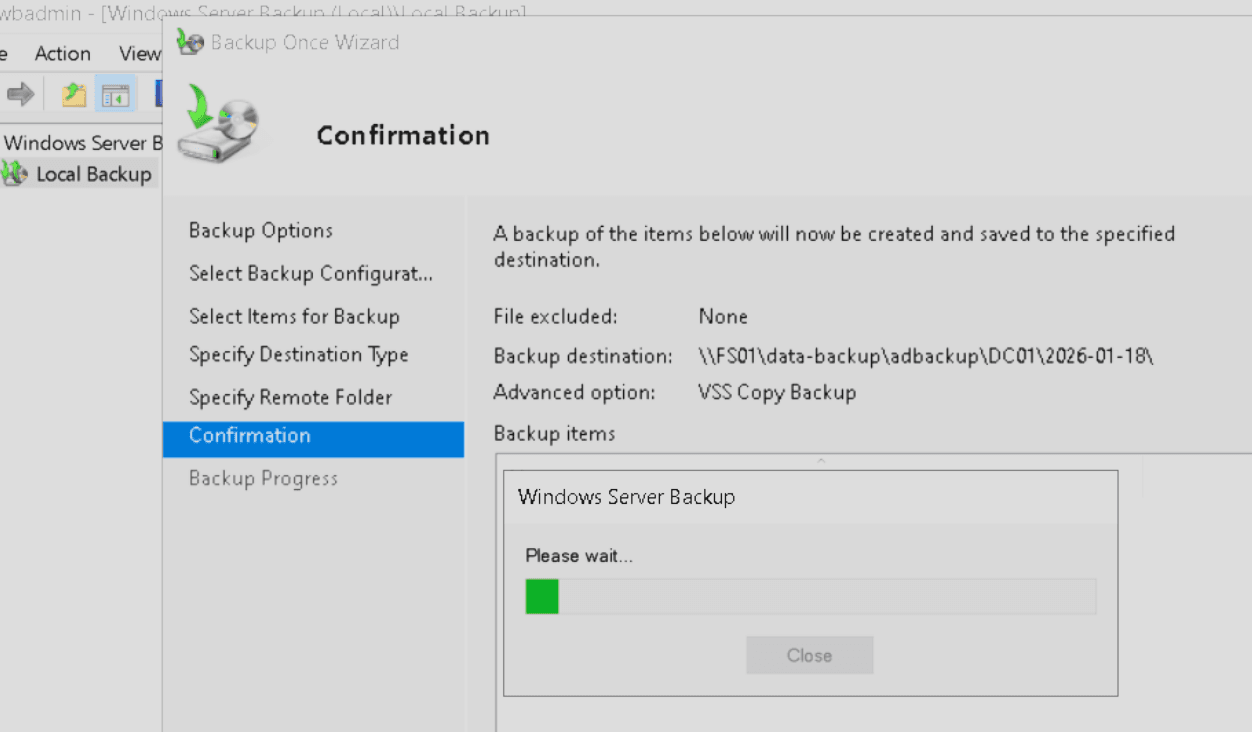
Local Backup → Backup Once本地备份 → 一次性备份
Choose Different options → Custom选择不同选项 → 自定义
Add Items → select System State添加项目 → 选择系统状态
Destination: Remote shared folder
or
wbadmin start systemstatebackup -backupTarget:\\FS01\data-backup\adbackup\DC01\2026-01-18 -quietalso backup GPOs :
On a management PC or DC with GPMC:在安装了 GPMC 的管理 PC 或 DC 上:
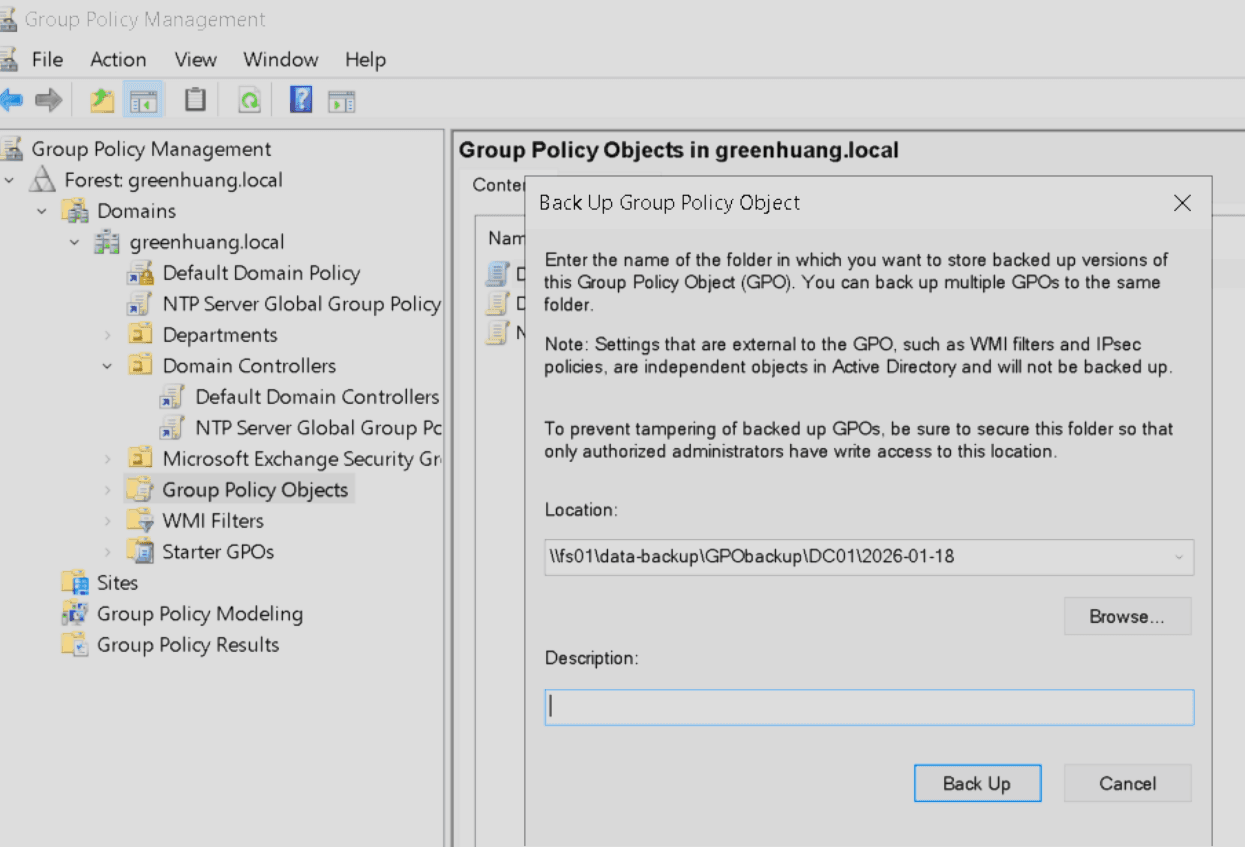
Group Policy Management → your domain → Group Policy Objects → Back Up All组策略管理 → 您的域 → 组策略对象 → 全部备份
transfer PDC
# check fsmo server
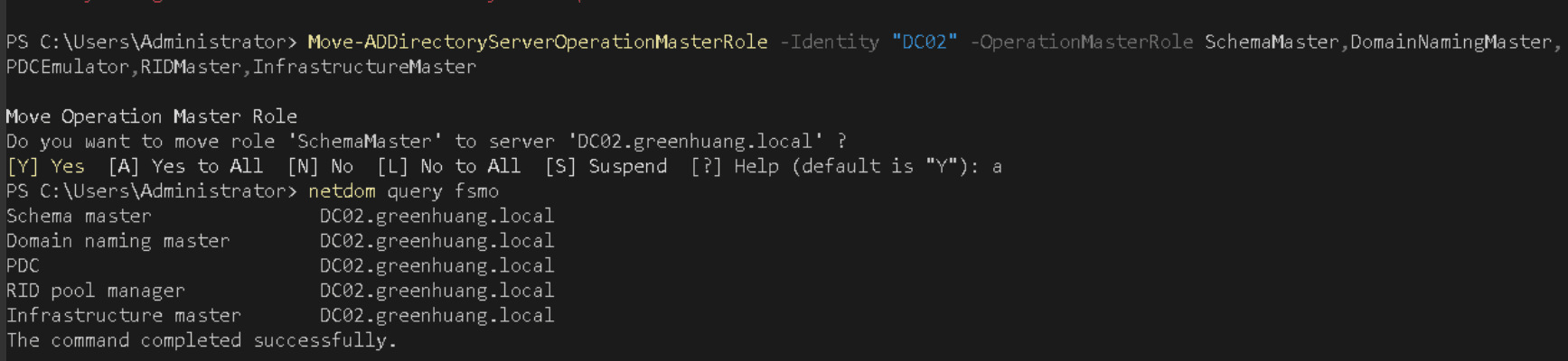
netdom query fsmo

# transfer to another DC
Move-ADDirectoryServerOperationMasterRole -Identity "DC02" -OperationMasterRole SchemaMaster,DomainNamingMaster,PDCEmulator,RIDMaster,InfrastructureMaster
Transfer or seize Operation Master roles - Windows Server | Microsoft Learn
demote DC
How to Demote a Domain Controller (Step-by-Step Guide) - Active Directory Pro after the demote delete the record in sites and services
update forest
# check mode
(Get-ADDomain).DomainMode
(Get-ADForest).ForestMode

# raise the level
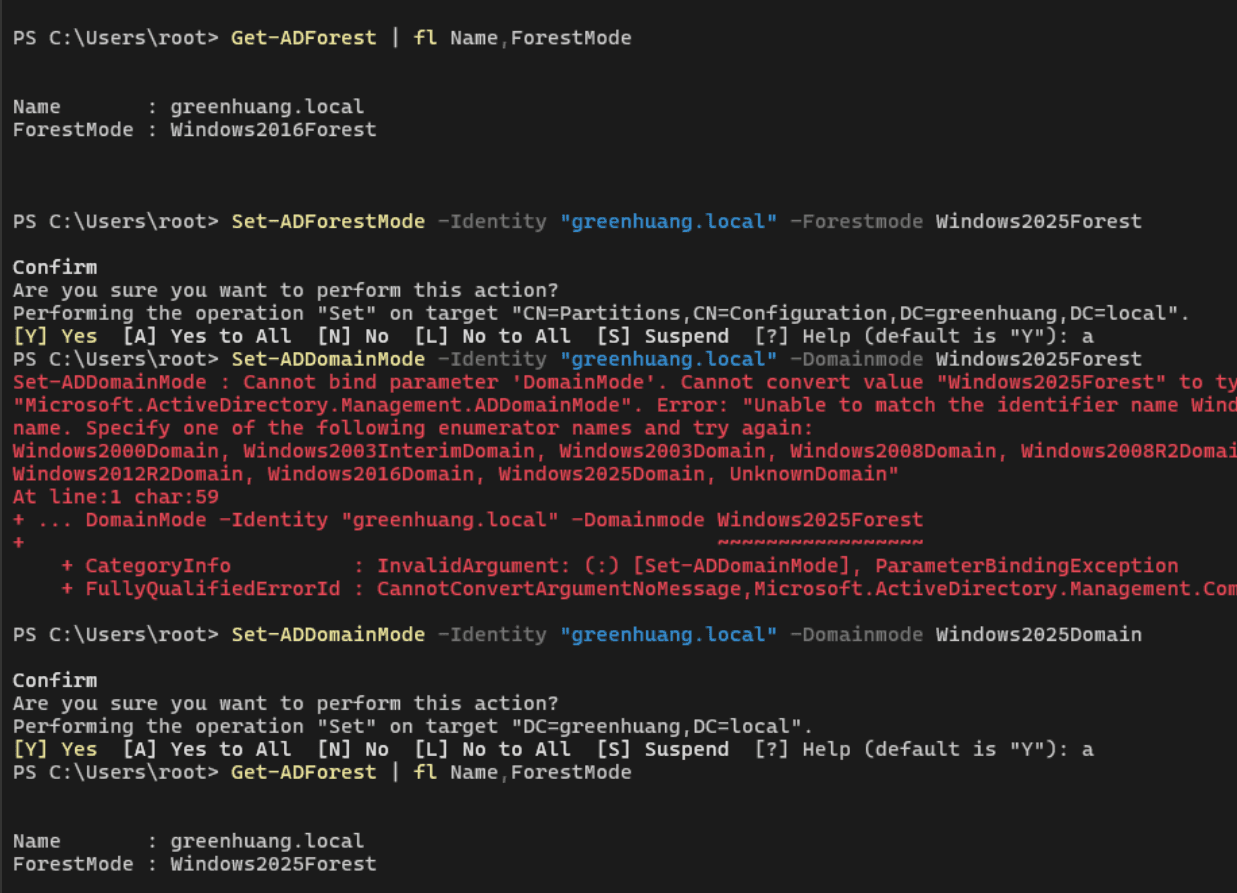
Set-ADForestMode -Identity "greenhuang.local" -ForestMode Windows2025Forest
# If needed (or if you prefer explicit):
Set-ADDomainMode -Identity "greenhuang.local" -DomainMode Windows2025Domain

# force update for all dc
Repadmin /syncall /d /e