proxmox backup server setup
proxmox backup server setup
configure PBS node
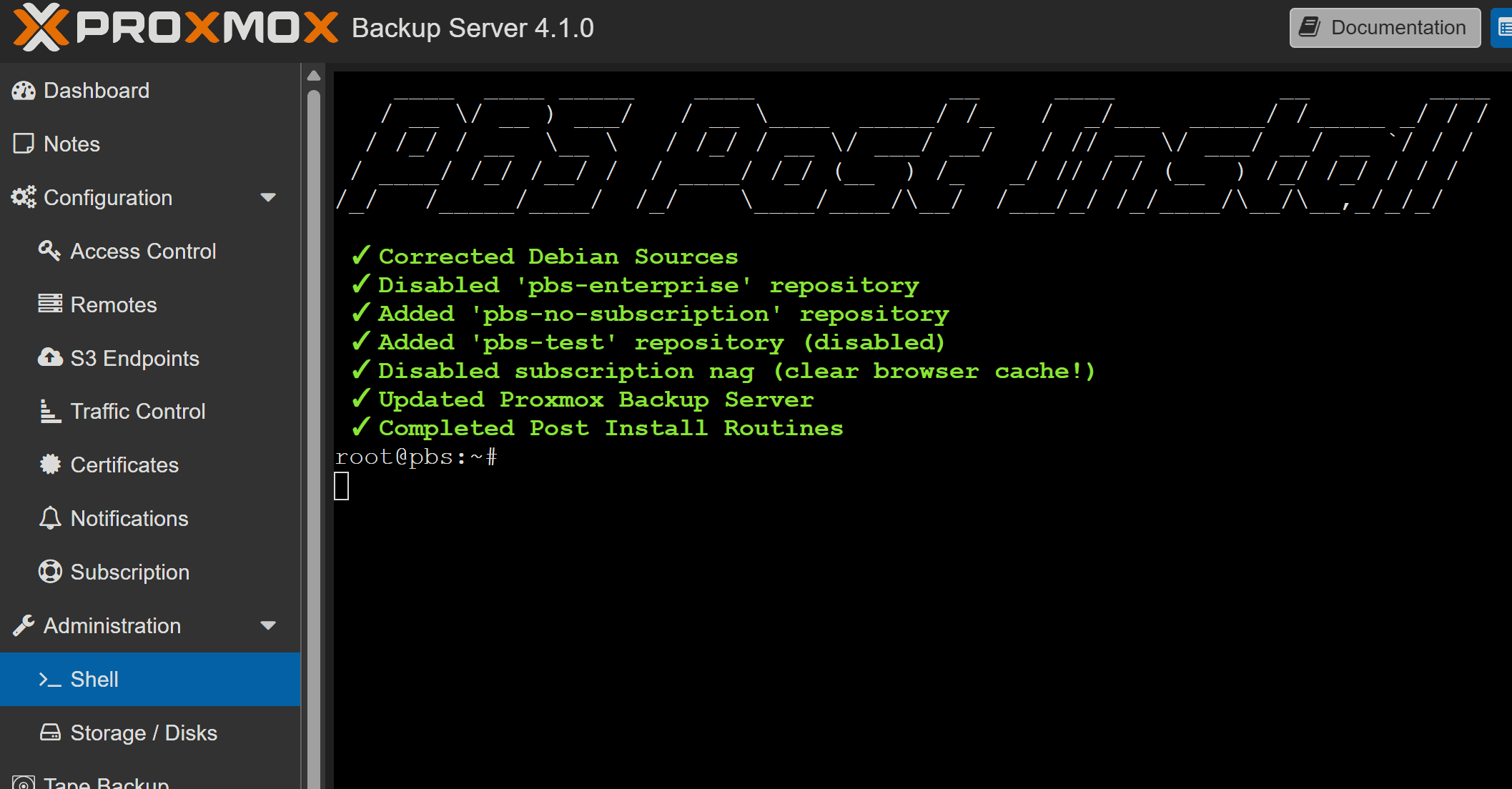
use this script in PBS node Proxmox VE Helper-Scripts and follow this video Proxmox Backup Server: A Game Changer for HomeLabs! - YouTube
bash -c "$(curl -fsSL https://raw.githubusercontent.com/community-scripts/ProxmoxVE/main/tools/pve/post-pbs-install.sh)"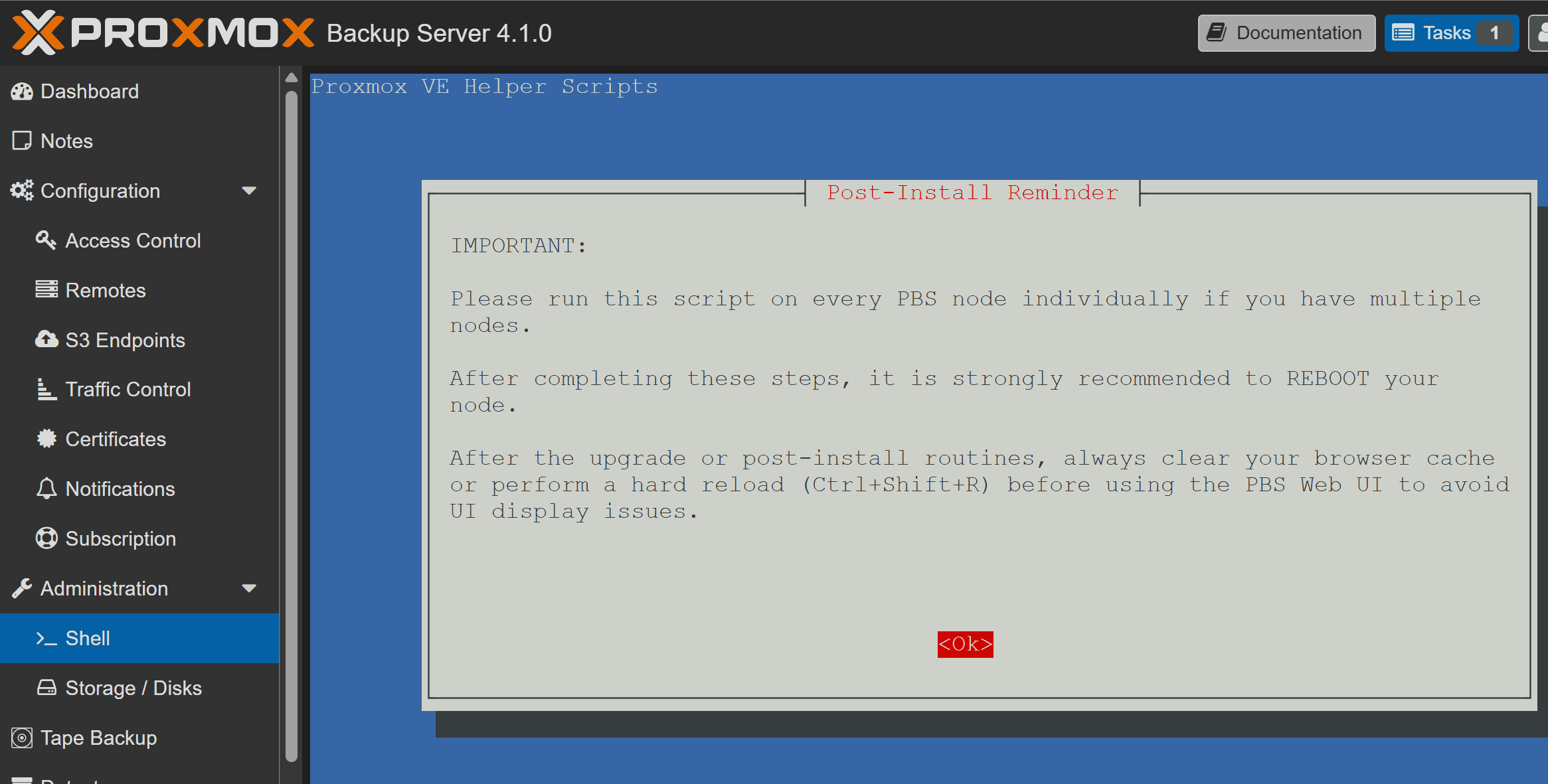
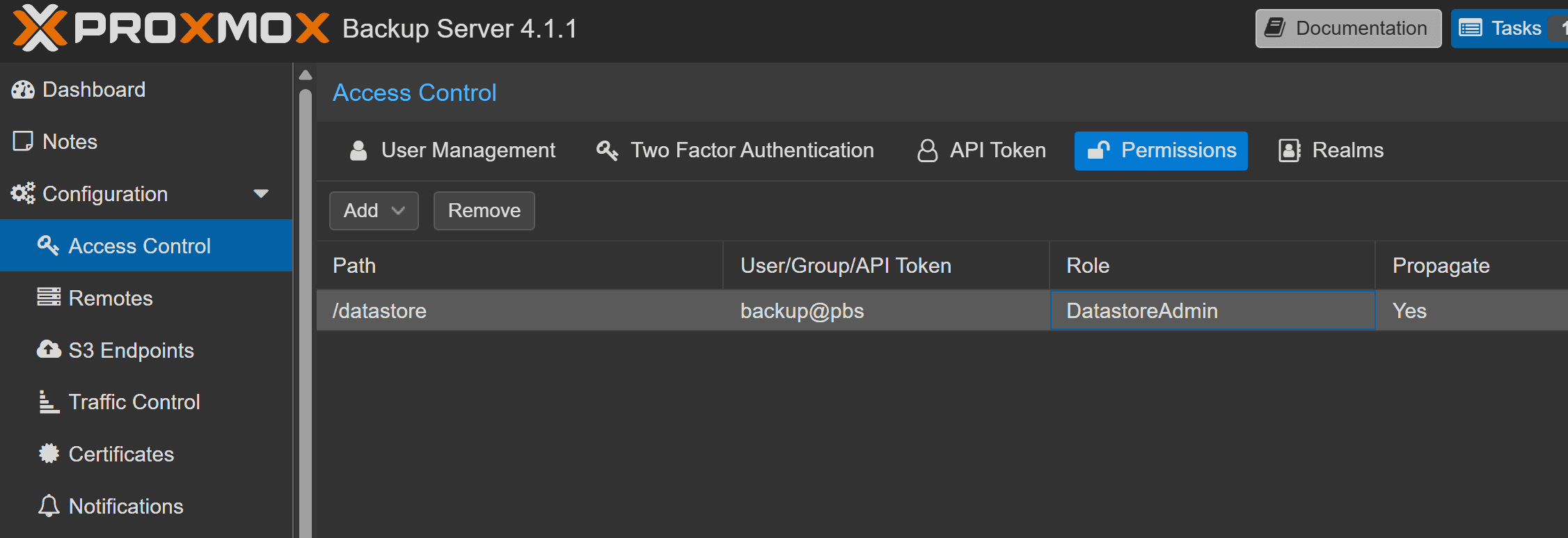
create a non root user on pbs for backup only
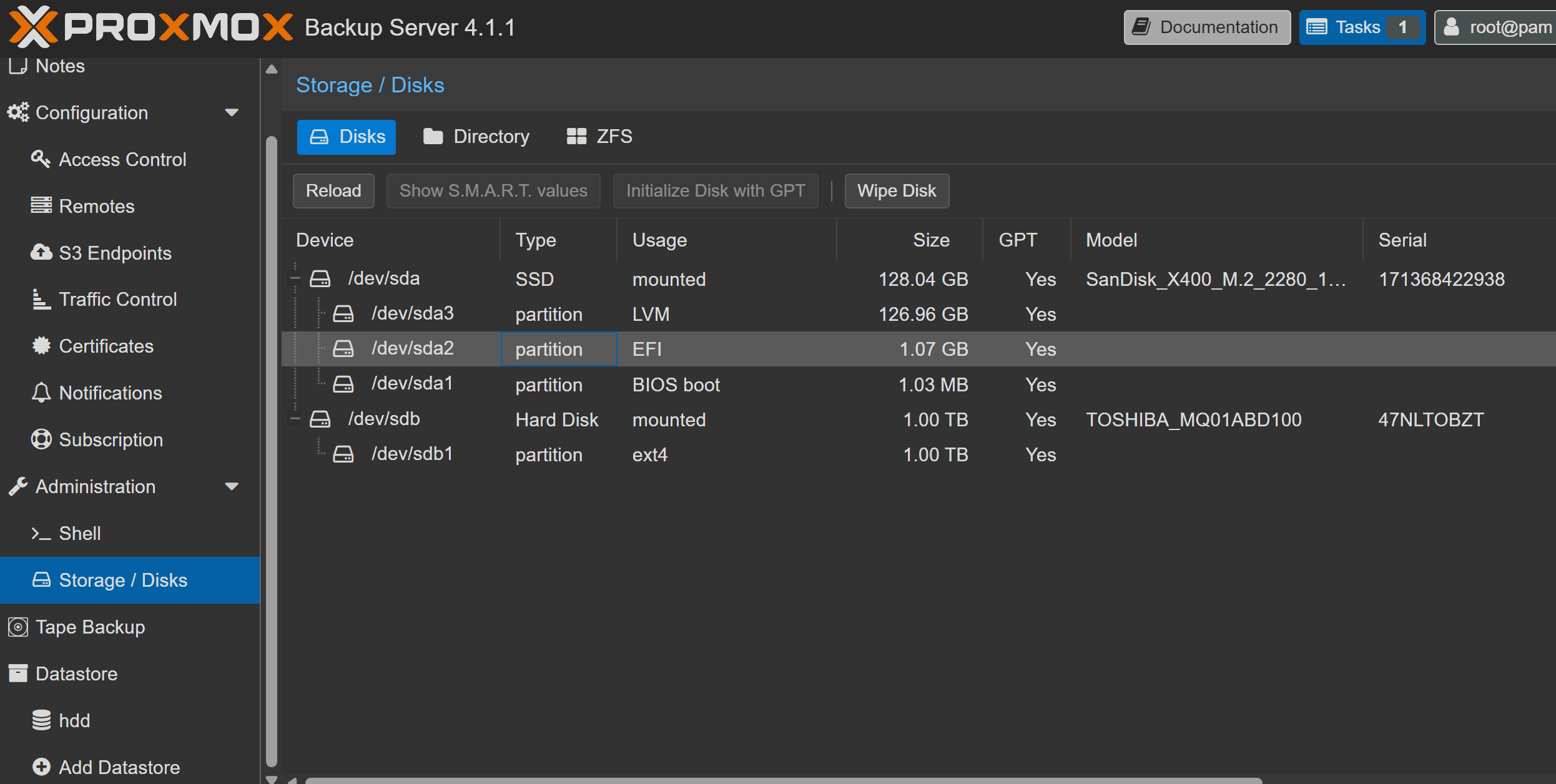
mount your disk and create datastore location for backup
configure pve
add PBS as storage on PVE node
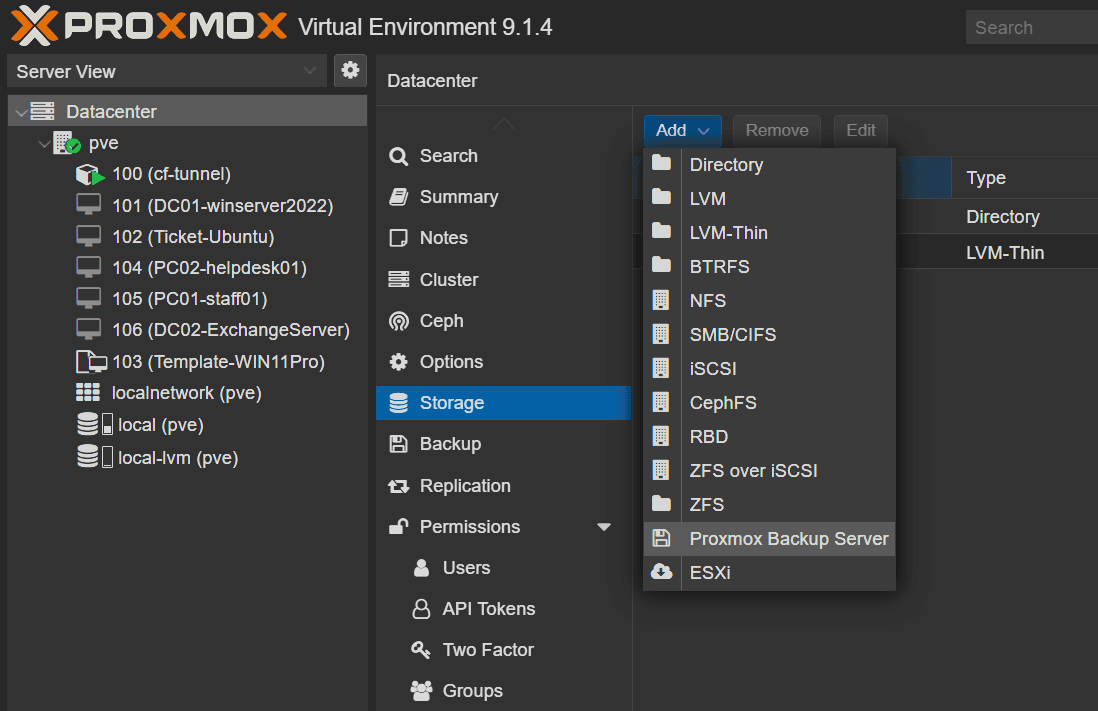
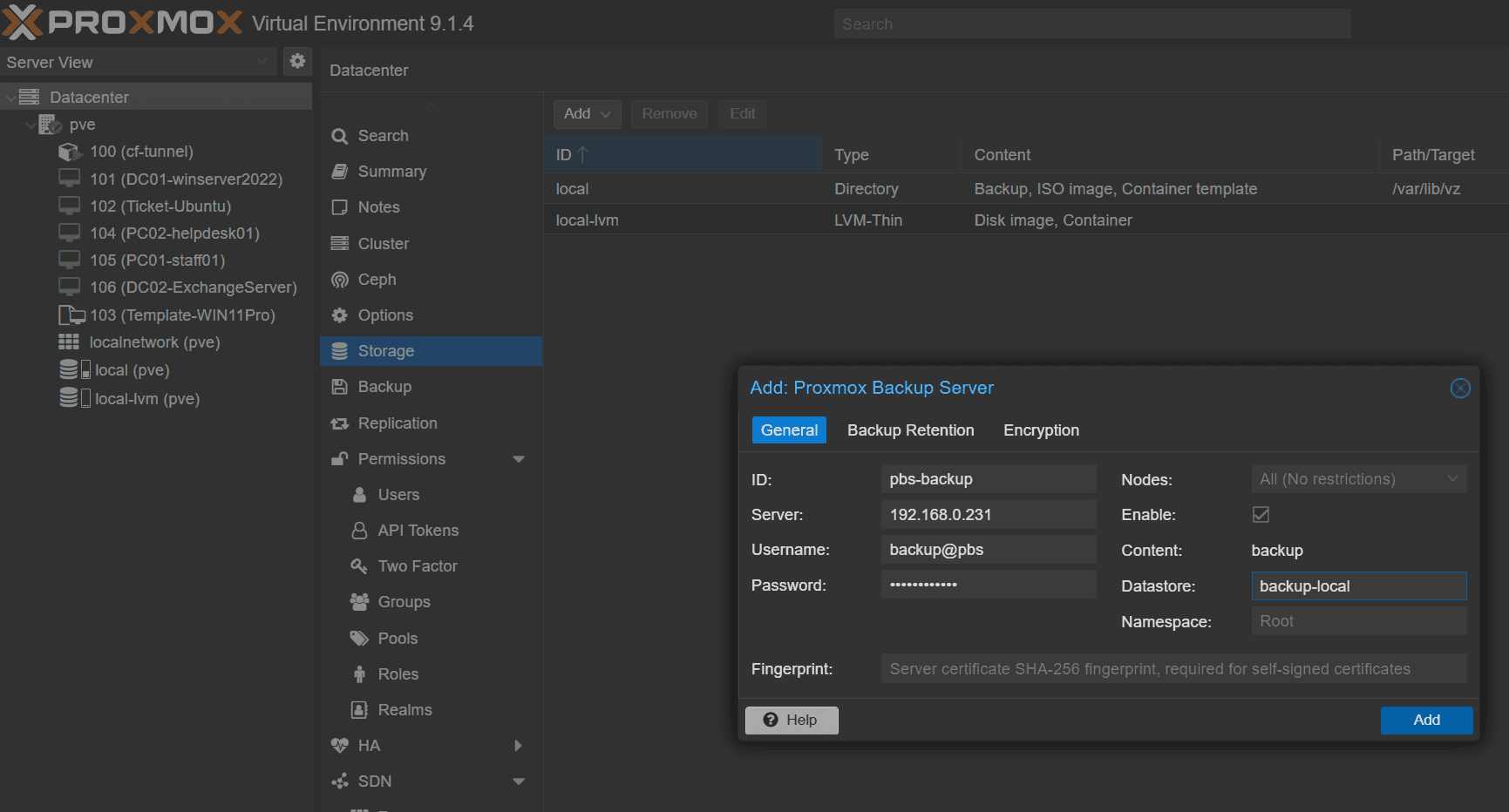
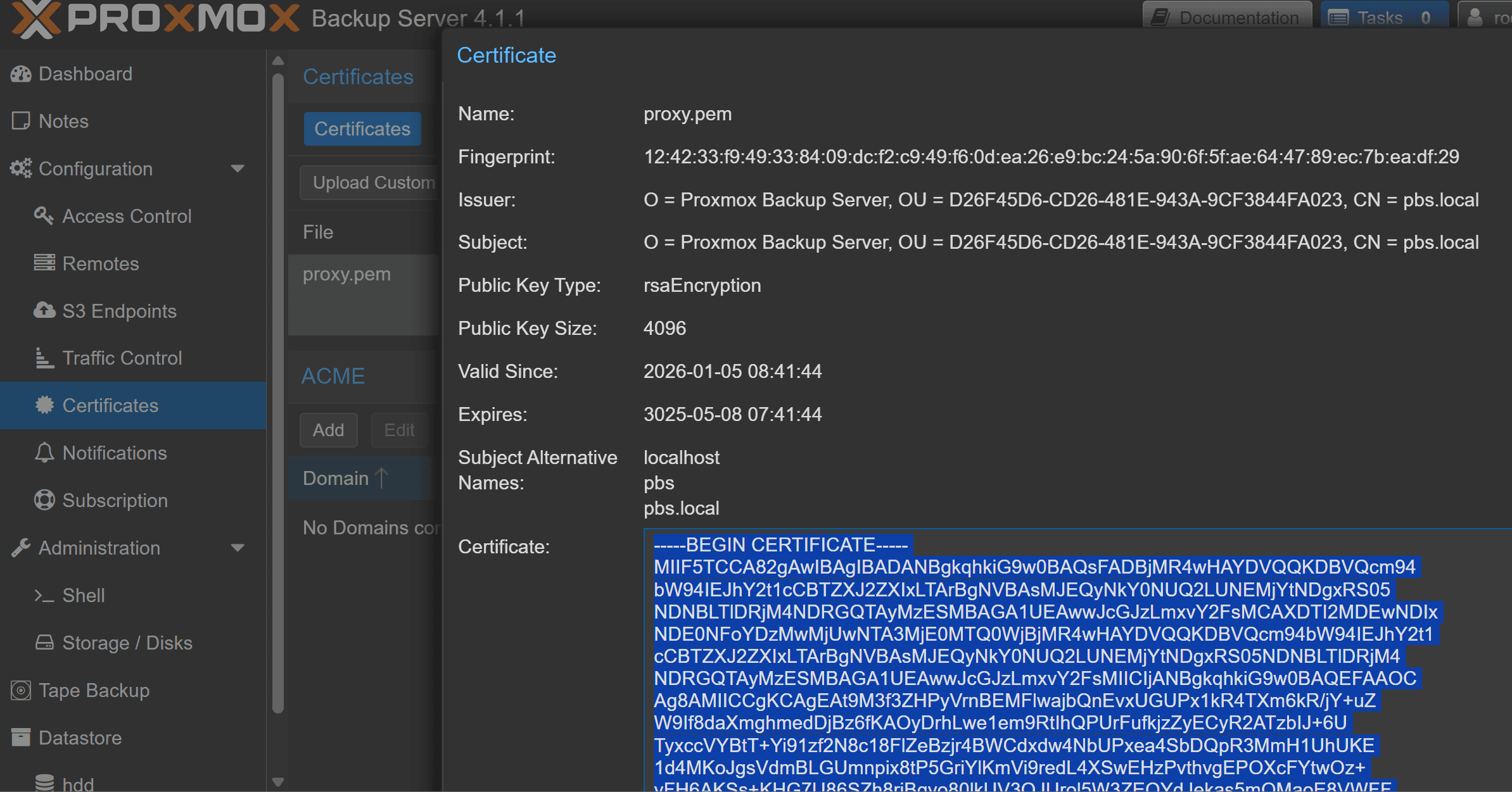
copy the certificate fingerprint from pbs
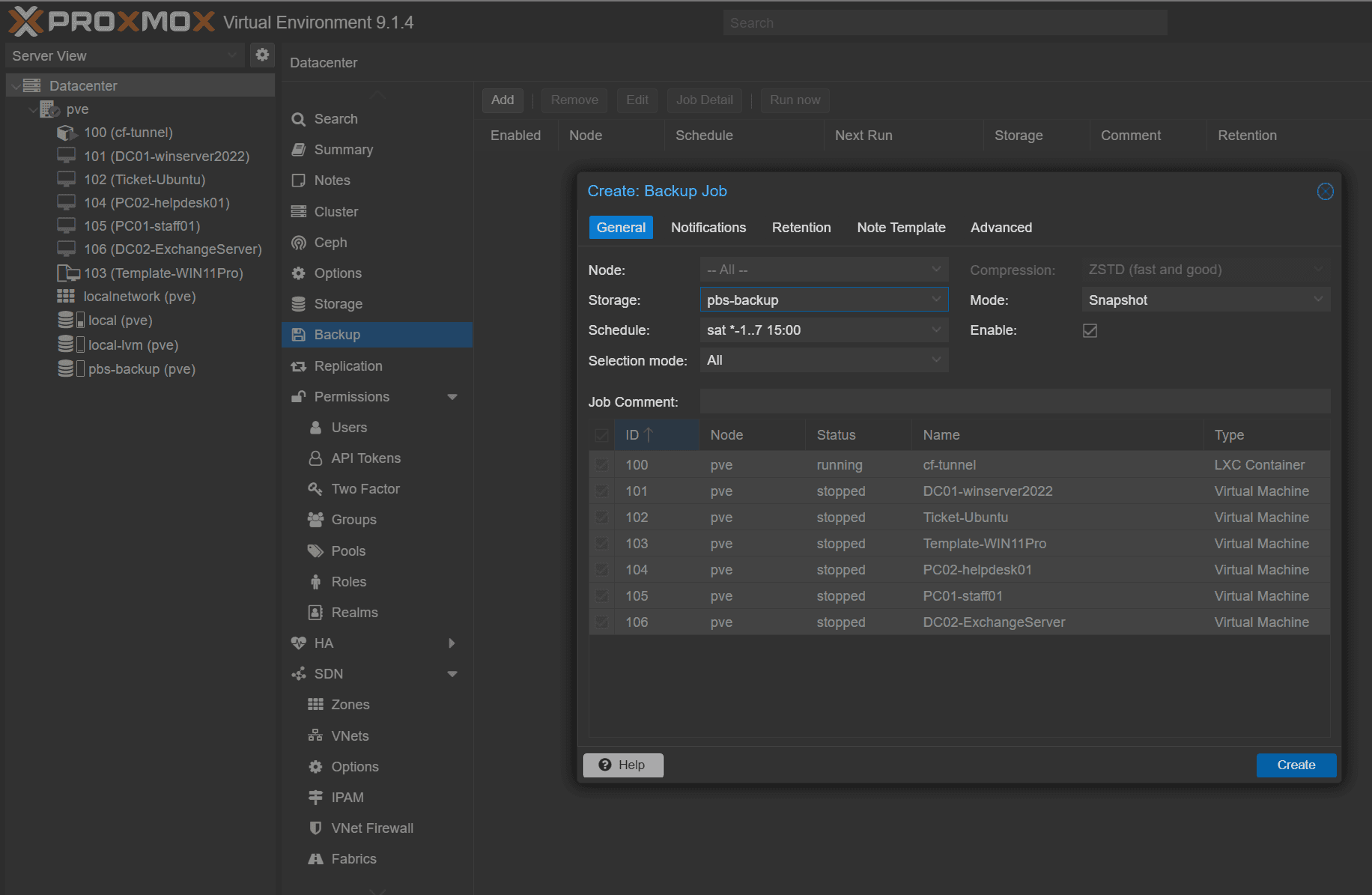
create a backup job in pve node
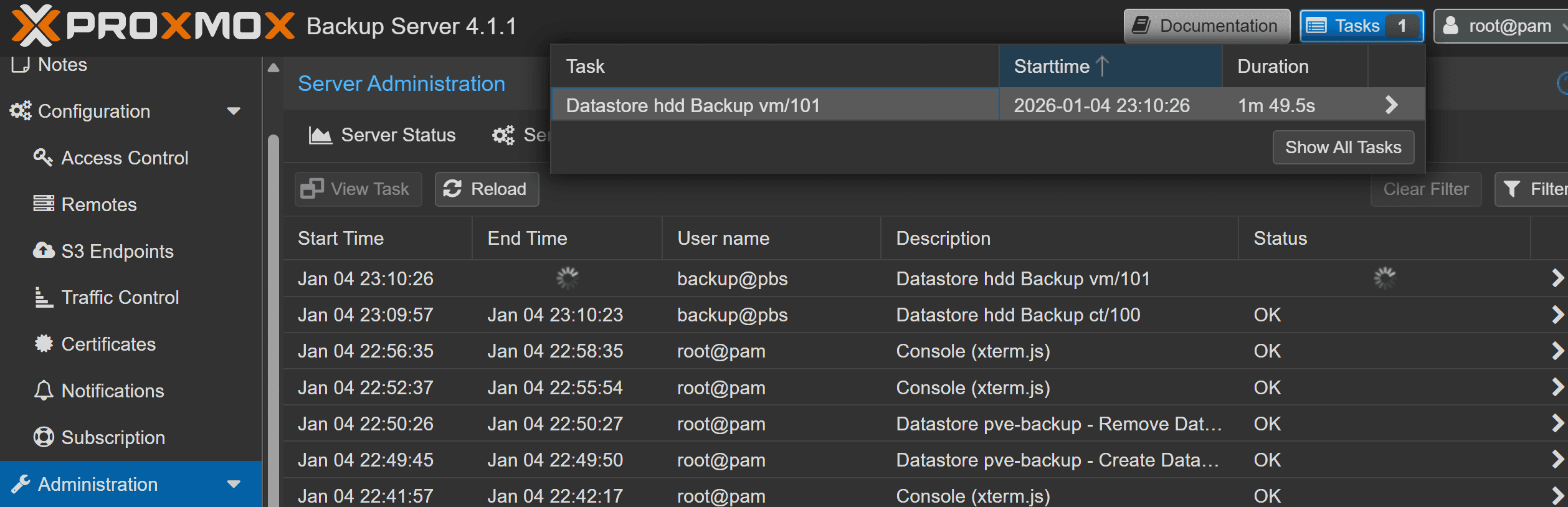
backup iso
list iso files
root@pve:~# ls -lh /var/lib/vz/template/iso

total 27G
-rw-r--r-- 1 root root 6.0G Mar  4  2025 ExchangeServer2019-x64-cu15.iso
-rw-r--r-- 1 root root 5.2G Sep 19  2024 MsOfficeHomeBusiness2024Retail.img
-rw-r--r-- 1 root root 1.8G Nov 16  2024 Rocky-9.5-x86_64-minimal.iso
-rw-r--r-- 1 root root 3.0G Feb 17  2025 ubuntu-24.04.2-live-server-amd64.iso
-rw-r--r-- 1 root root 693M Apr  7  2025 virtio-win.iso
-rw-r--r-- 1 root root 5.5G Oct  1  2024 Win11_24H2_English_x64.iso
-rw-r--r-- 1 root root 4.7G Mar 17  2022 WINSERVER_2022_EVAL_x64FRE_en-us.iso
Find the PBS storage details already configured on your PVE
root@pve:~# pvesm status | grep -i pbs
pbs-backup         pbs     active       960302804        32182428       879265916    3.35%

root@pve:~# grep -n "^pbs:" -A30 /etc/pve/storage.cfg
10:pbs: pbs-backup
11-     datastore hdd
12-     server 192.168.0.231
13-     content backup
14-     fingerprint 12:42:33:f9:49:33:84:09:dc:f2:c9:49:f6:0d:ea:26:e9:bc:24:5a:90:6f:5f:ae:64:47:89:ec:7b:ea:df:29
15-     prune-backups keep-all=1
16-     username backup@pbs
17-
Export repo + password file (recommended) and test
export PBS_REPOSITORY='<username>@<PBS-IP>:hdd'
# export PBS_REPOSITORY='backup@[email protected]:hdd'

export PBS_PASSWORD_FILE='/etc/pve/priv/storage/<STORAGE-ID>.pw'
# export PBS_PASSWORD_FILE='/etc/pve/priv/storage/pbs-backup.pw'

export PBS_FINGERPRINT='<fingerprint-from-storage.cfg>'
# export PBS_FINGERPRINT='12:42:33:f9:49:33:84:09:dc:f2:c9:49:f6:0d:ea:26:e9:bc:24:5a:90:6f:5f:ae:64:47:89:ec:7b:ea:df:29'
validate the results
root@pve:~# proxmox-backup-client status
┌───────┬───────────────────────┐
│ total │ 983350071296  (100 %) │
├───────┼───────────────────────┤
│ used  │  32954806272    (3 %) │
├───────┼───────────────────────┤
│ avail │ 900368297984   (92 %) │
└───────┴───────────────────────┘
proxmox-backup-client backup \
pve-iso.pxar:/var/lib/vz/template/iso \
pve-etc.pxar:/etc \
pve-pveconf.pxar:/etc/pve \
--backup-type host --backup-id pbsiso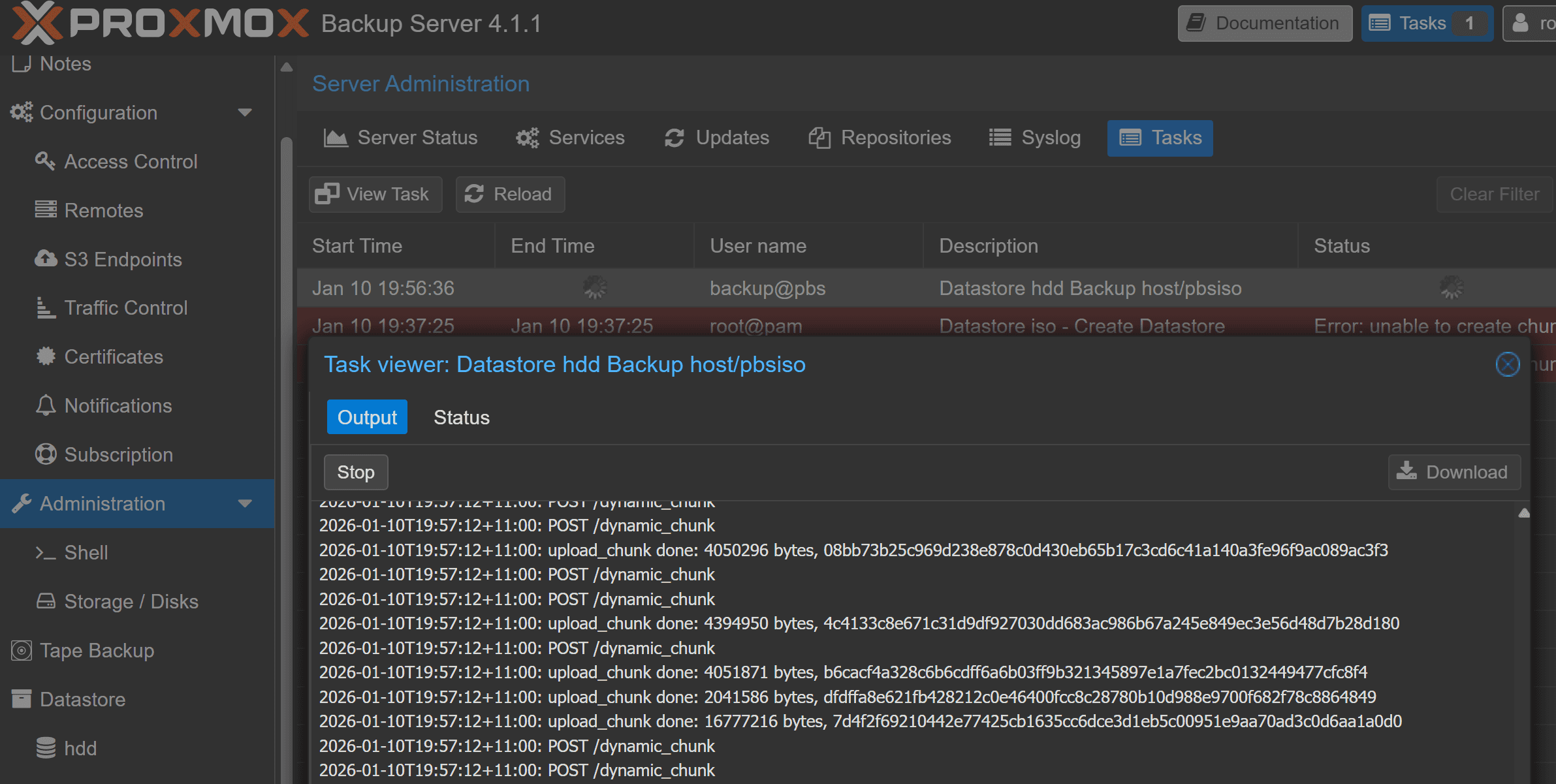
root@pve:~# proxmox-backup-client backup \
  pve-iso.pxar:/var/lib/vz/template/iso \
  pve-etc.pxar:/etc \
  pve-pveconf.pxar:/etc/pve \
  --backup-type host --backup-id pbsiso

Starting backup: host/pbsiso/2026-01-10T08:56:36Z
Client name: pve
Starting backup protocol: Sat Jan 10 19:56:36 2026
No previous manifest available.
Upload directory '/var/lib/vz/template/iso' to 'backup@[email protected]:8007:hdd' as pve-iso.pxar.didx
processed 6.56 GiB in 1m, uploaded 6.377 GiB
processed 10.407 GiB in 2m, uploaded 9.426 GiB
processed 13.862 GiB in 3m, uploaded 12.402 GiB
processed 17.093 GiB in 4m, uploaded 15.576 GiB
processed 20.192 GiB in 5m, uploaded 18.57 GiB
processed 23.532 GiB in 6m, uploaded 21.824 GiB
pve-iso.pxar: had to backup 25.093 GiB of 26.669 GiB (compressed 20.244 GiB) in 414.63 s (average 61.97 MiB/s)
pve-iso.pxar: backup was done incrementally, reused 1.576 GiB (5.9%)
Upload directory '/etc' to 'backup@[email protected]:8007:hdd' as pve-etc.pxar.didx
skipping mount point: "pve"
pve-etc.pxar: had to backup 2.702 MiB of 2.702 MiB (compressed 599.624 KiB) in 1.50 s (average 1.802 MiB/s)
Upload directory '/etc/pve' to 'backup@[email protected]:8007:hdd' as pve-pveconf.pxar.didx
pve-pveconf.pxar: had to backup 40.87 KiB of 40.87 KiB (compressed 16.772 KiB) in 0.16 s (average 256.499 KiB/s)
Uploaded backup catalog (32.438 KiB)
Duration: 427.01s
End Time: Sat Jan 10 20:03:43 2026
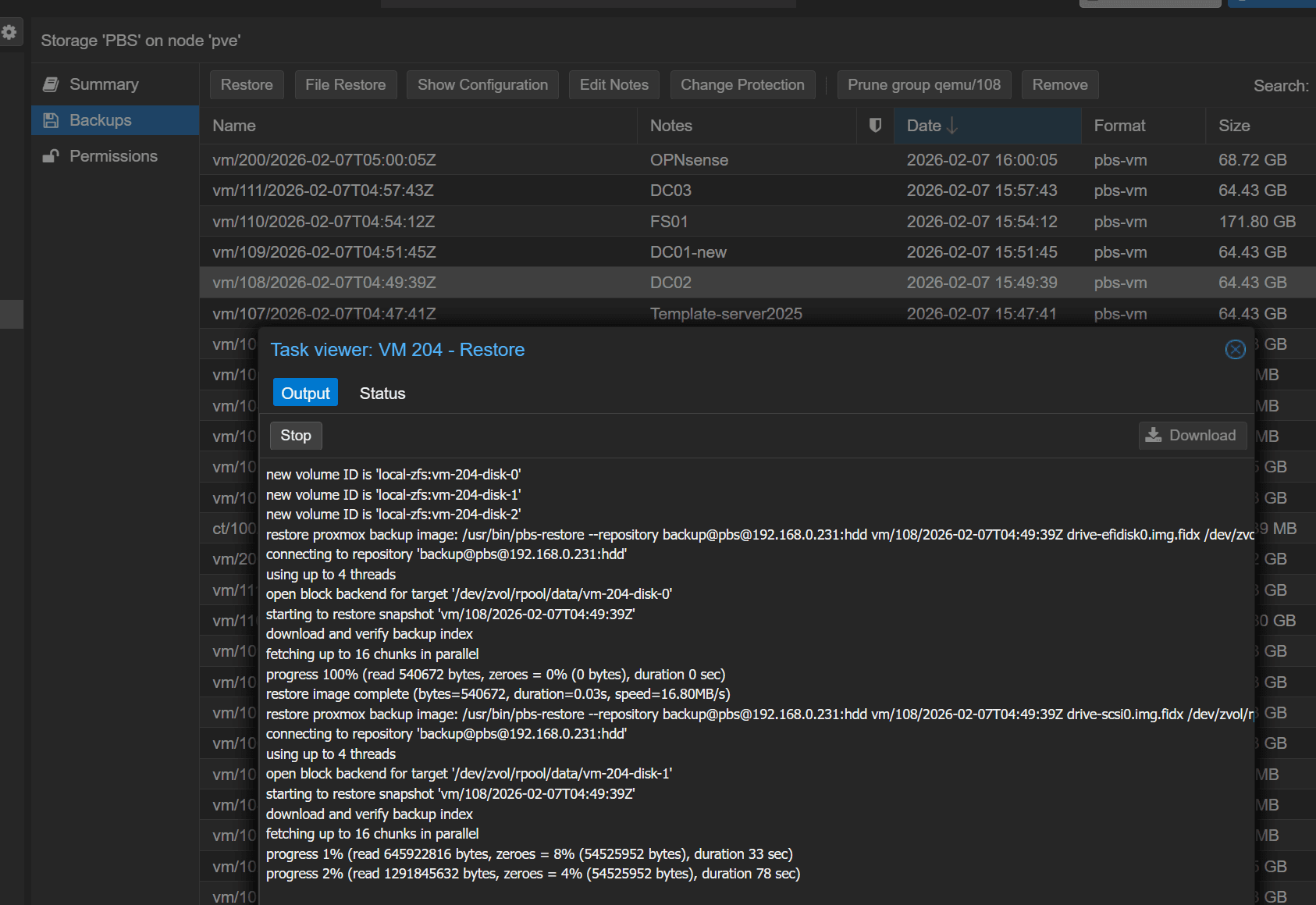
restore vm from backup
Using OPNsense as virtual router and switch in proxmox
A guide to Using OPNsenseas virtual router and switch in proxmox
Upgrading Mellanox ConnectX-4 Lx Firmware on Proxmox VE 9.2
This note records the process of identifying, backing up, and upgrading the firmware on a Mellanox ConnectX-4 Lx 25GbE SFP28 network adapter installed in a Proxmox VE 9.2 host. The upgrade was performed while troubleshooting a 25GbE NIC connected to a 10GbE SFP+ switch through a DAC cable.