Install Dell iDRAC Service Module (iSM) on Proxmox VE 9 / Debian 13 (Trixie)
Install Dell iDRAC Service Module (iSM) on Proxmox VE 9 / Debian 13 (Trixie)
Description:描述:
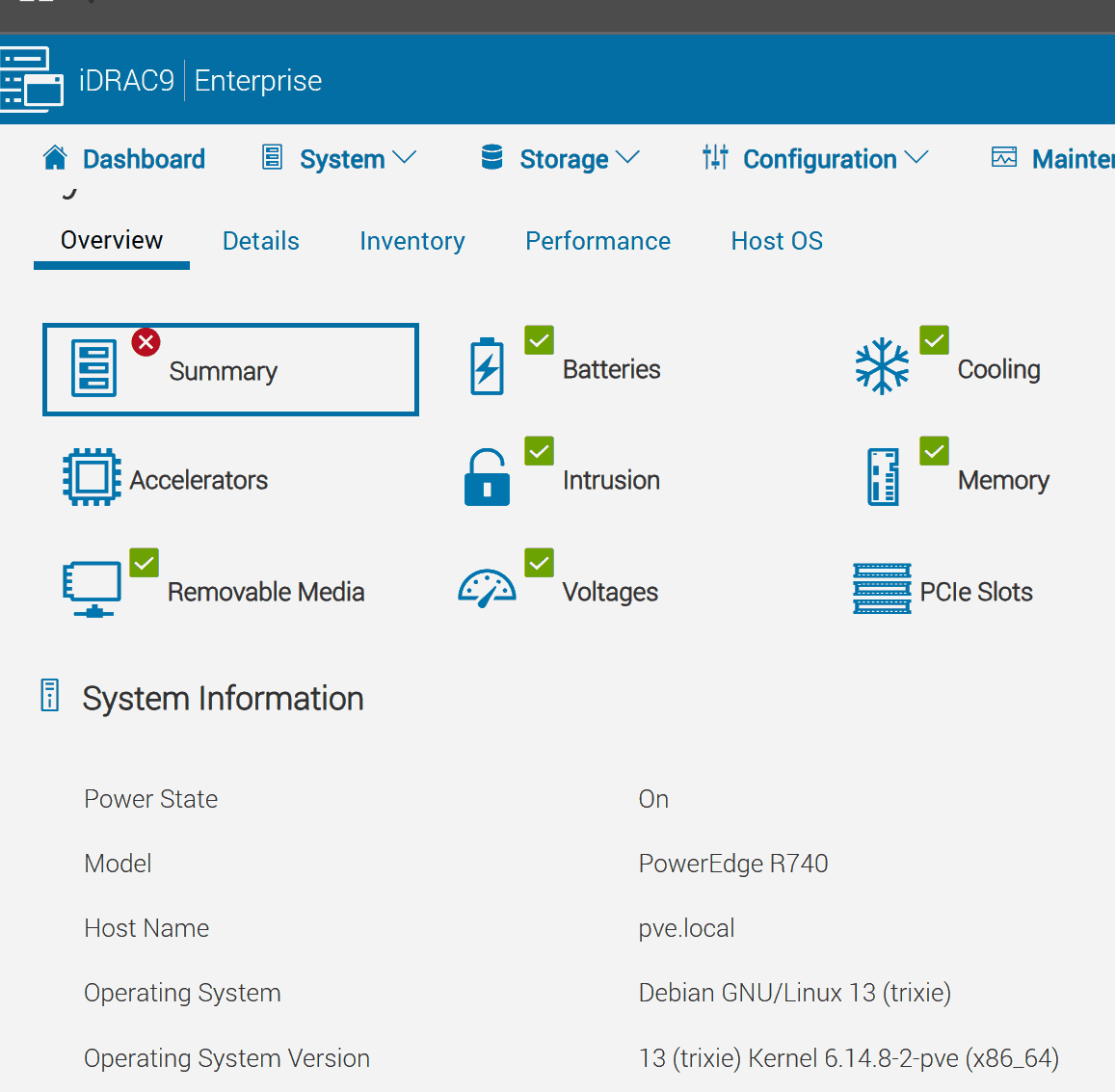
This note documents how to manually install the Dell iDRAC Service Module (iSM 5.4.0) on a Dell PowerEdge R740 running Proxmox VE 9 (Debian 13 Trixie). The package isn’t officially listed for Debian 13, but the Ubuntu 24.04 ("noble") repo works. After installation, iDRAC will display host OS details and network info.本说明介绍如何在运行 Proxmox VE 9(Debian 13 Trixie)的 Dell PowerEdge R740 上手动安装 Dell iDRAC 服务模块 (iSM 5.4.0)。该软件包尚未正式列出 Debian 13 版本,但 Ubuntu 24.04(“noble”)仓库可以运行。安装完成后,iDRAC 将显示主机操作系统详细信息和网络信息。
Prerequisites先决条件
- Proxmox VE 9 (Debian 13) on a Dell PowerEdge with iDRAC9.带有 iDRAC9 的 Dell PowerEdge 上的 Proxmox VE 9(Debian 13)。
- Root shell.根外壳。
- Outbound HTTPS.出站 HTTPS。
1) Add Dell GPG key1)添加戴尔 GPG 密钥
curl -fsSL https://linux.dell.com/repo/pgp_pubkeys/0x1285491434D8786F.asc \ | gpg --dearmor -o /etc/apt/trusted.gpg.d/dell-apt-key.gpgVerify:核实:
gpg --show-keys /etc/apt/trusted.gpg.d/dell-apt-key.gpg
2) Add iSM APT repository (Ubuntu 24.04 “noble”)
echo "deb [signed-by=/etc/apt/trusted.gpg.d/dell-apt-key.gpg] http://linux.dell.com/repo/community/openmanage/iSM/5400/noble noble main" \ > /etc/apt/sources.list.d/dell-ism.listCheck file contents:检查文件内容:
cat /etc/apt/sources.list.d/dell-ism.list
3) Update and install iSM3)更新并安装 iSM
apt update apt install -y dcism
This pulls the iSM engine and its OS connector package.这将拉动 iSM 引擎及其 OS 连接器包。
4) Enable and start the iSM service4)启用并启动 iSM 服务
systemctl enable --now dcismeng
Verify:核实:
systemctl status dcismeng --no-pager dpkg -l | grep -i dcism apt-cache policy dcism
5) Validate in iDRAC5) 在 iDRAC 中验证
-
Open iDRAC web UI.打开 iDRAC Web UI。
-
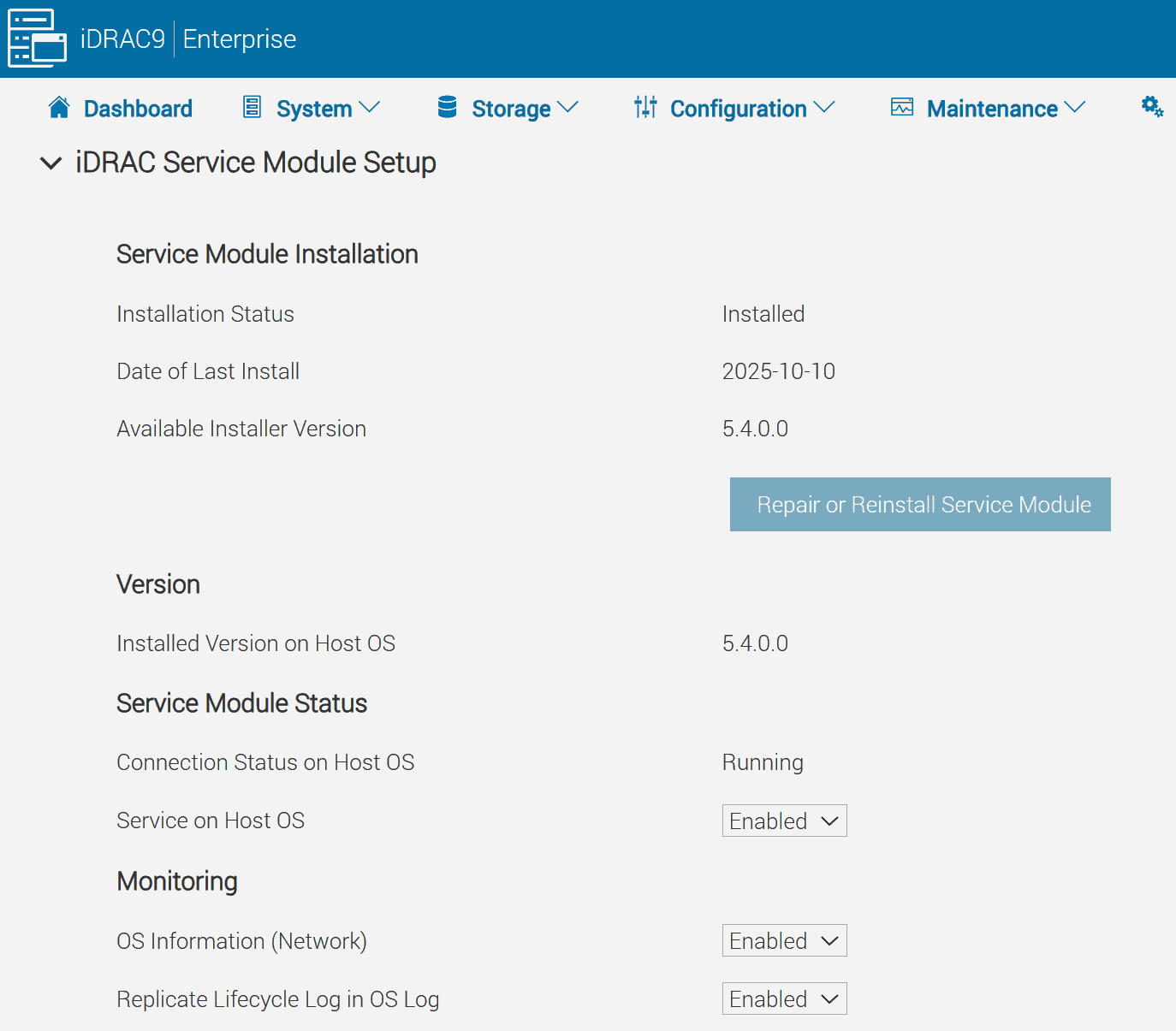
Go to: iDRAC Settings → iDRAC Service Module.转至: iDRAC 设置 → iDRAC 服务模块 。
-
Confirm “Connected” state and host OS details under Overview → Server → Summary.在概述 → 服务器 → 摘要下确认“已连接”状态和主机操作系统详细信息。